Food Tracker is a fully local Android food diary. It records what I ate at breakfast, lunch, dinner and as snacks, plus exercise, weight and BMI, and GPS walks and runs. Nothing leaves the phone: the only network use is downloading OpenStreetMap tiles for the map screens. I built it because every calorie app I tried wanted an account, a subscription, or both, and I wanted my data in a ZIP I could keep.
Diary and calorie target
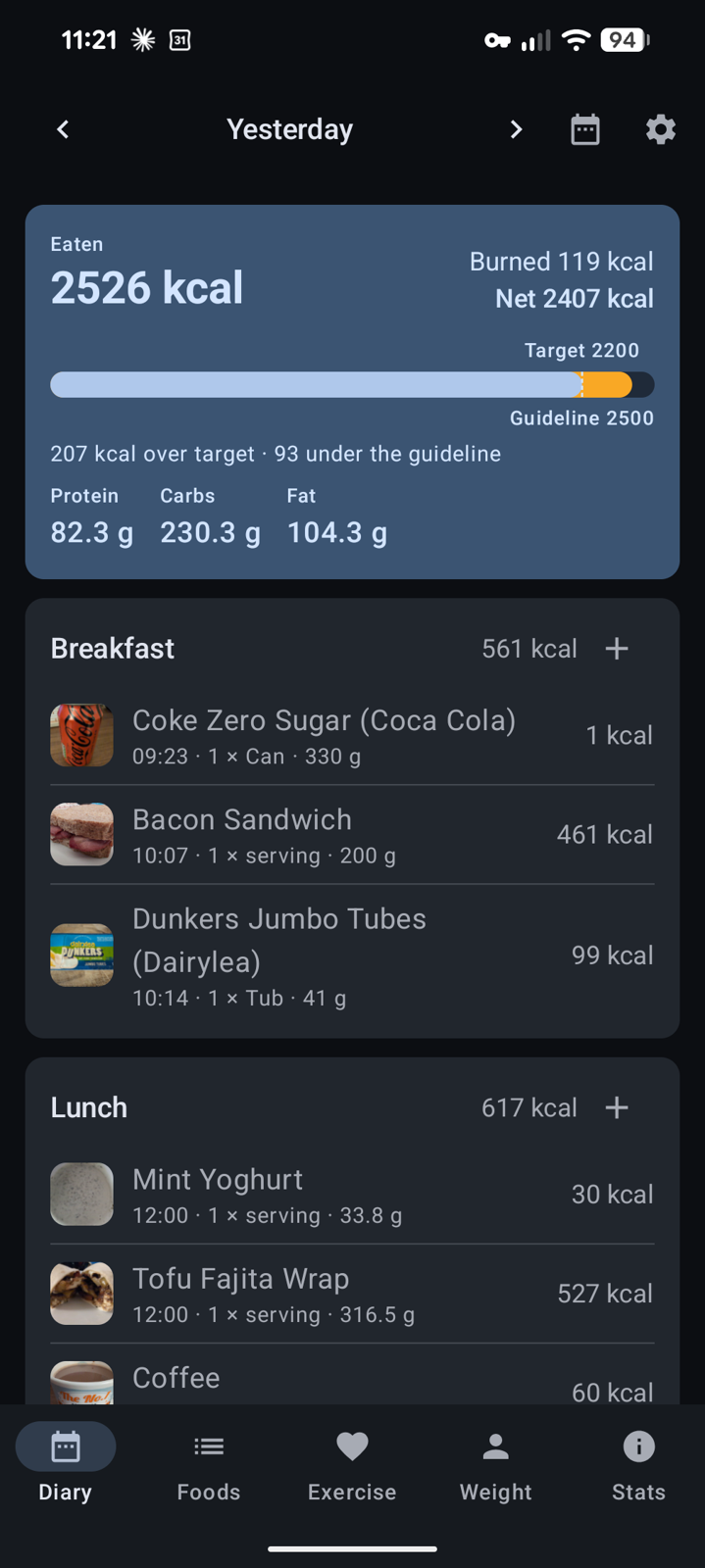
The diary shows one day at a time, with meal cards (thumbnail, time eaten, amount), an exercise card and totals for eaten, burned, net and macros. A bar on the day card fills as food is logged: it runs from zero to the NHS guideline amount with a dashed marker at your deficit target, green up to the target, amber between target and guideline, red beyond. Tap the bar to change the numbers or to stop exercise being subtracted first.
Foods, recipes and barcodes
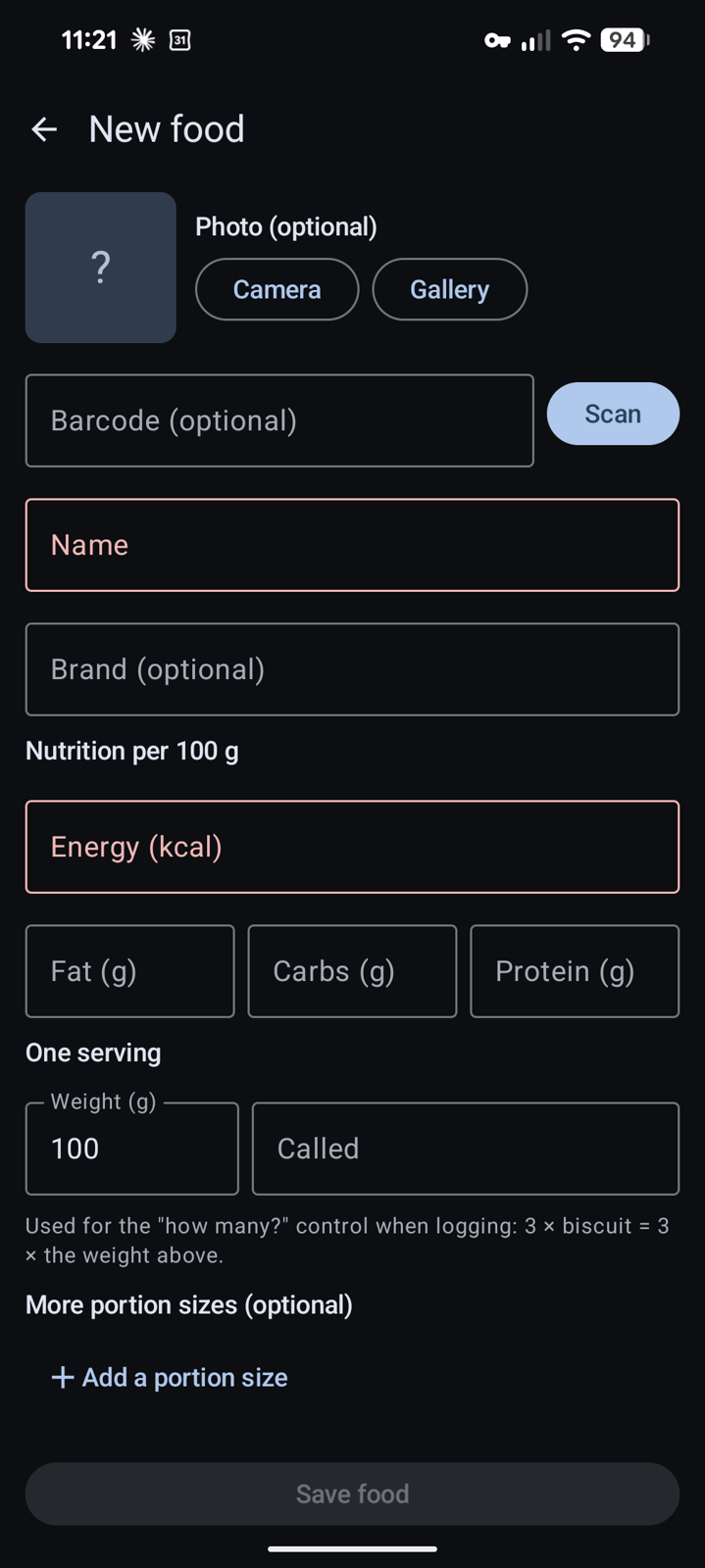
Foods are registered by scanning a barcode with the on-device ML Kit scanner or by hand, with a photo, nutrition per 100 g and any number of named portions. Recipes are built from foods (or other recipes), get their own photo, nutrition, servings and a step-by-step method with photos, and are then used exactly like foods. A food can carry any number of barcodes for the same product in different packaging, so when a scan finds an unknown code you can attach it to an existing food.
NFC tags
The feature I use most: write a food or an exercise to a cheap NTAG sticker and tapping the phone on it logs the entry in one step. A simple tag holds the id and name; a full tag also carries the nutrition so a fresh install can register the item straight from the sticker. There is one on the coffee machine and one on the kettle.
Treadmill sessions over Bluetooth
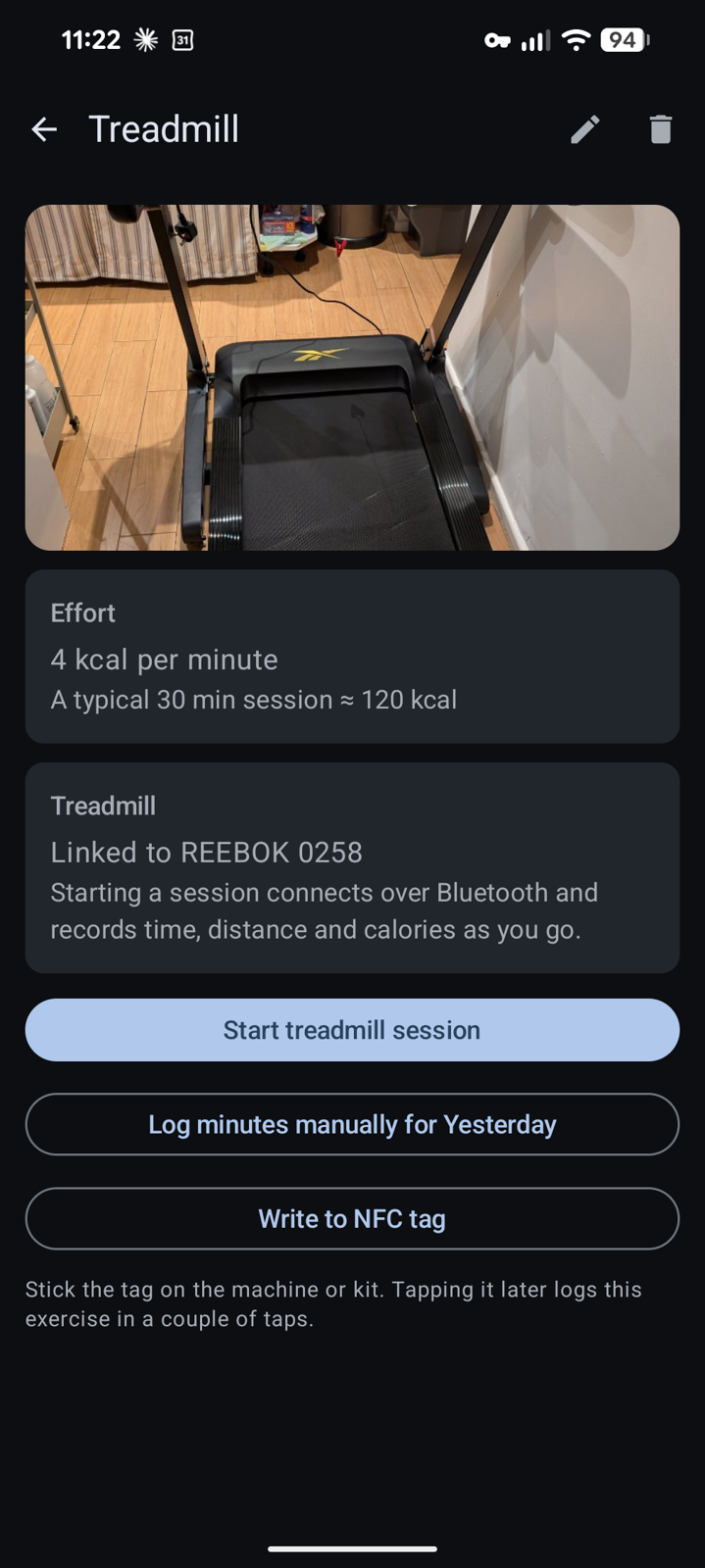
An exercise can be linked to a Bluetooth treadmill. Logging that exercise opens a live session that connects automatically and records time, distance, speed, incline, calories and heart rate from the machine in a foreground service, so the screen can be off. It speaks the standard Fitness Machine Service (FTMS Treadmill Data) and falls back to Running Speed & Cadence; anything the machine doesn't send is worked out from belt speed. If the machine allows remote control the session screen gets speed and incline controls, presets, and Start / Pause / Stop for the belt, with every command showing the machine's reply if it refuses.
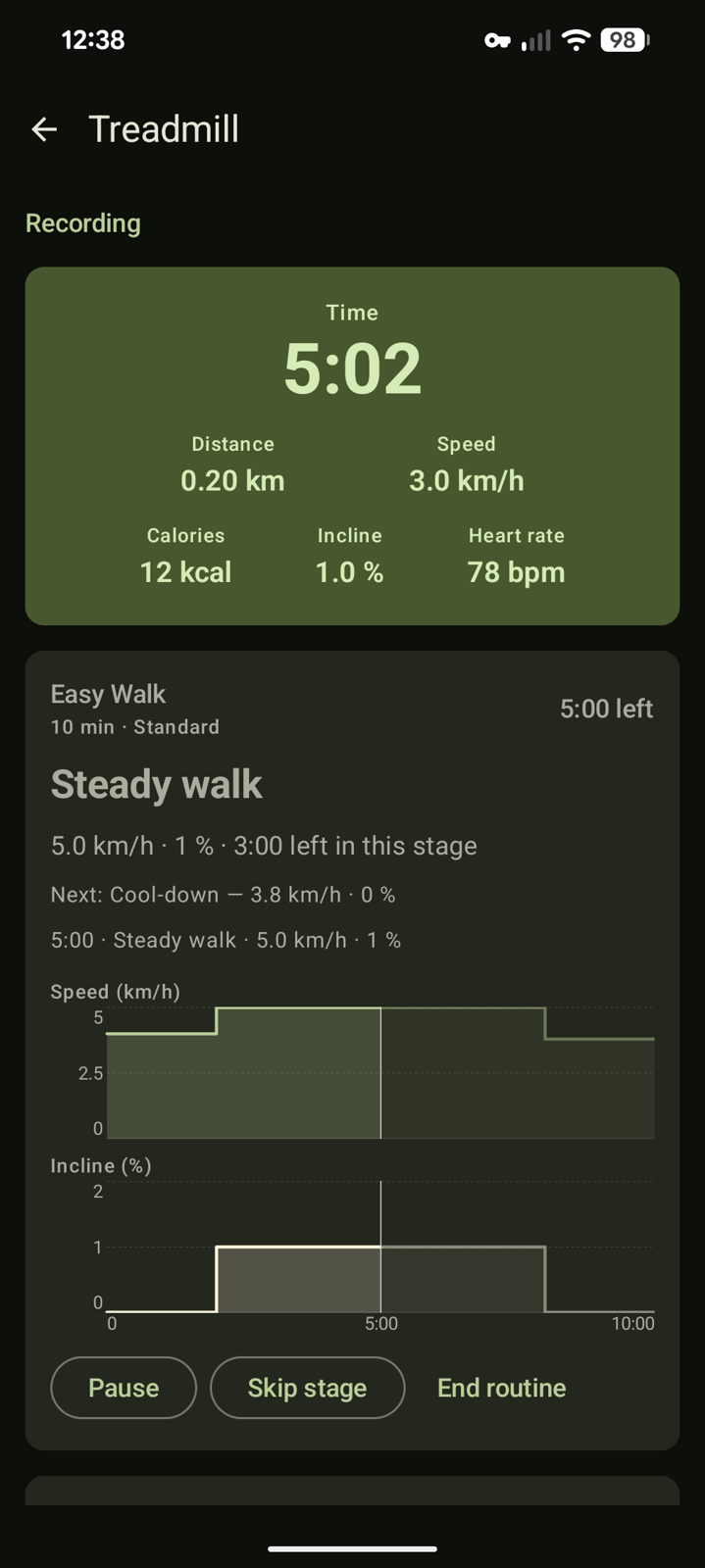
On top of that are eleven pre-set routines from Easy Walk to Mountain Climb (walk-jog intervals, hill walk, speed ladder, pyramid, 12-3-30, HIIT sprints and so on). Pick a length and effort, see the speed and incline graphs for the whole routine, and the app changes the machine's settings at each stage, or shows the targets to set by hand if the treadmill can't be driven. The routine clock only runs while the belt moves.
GPS, steps, weight and stats
- GPS walks and runs: live map in a foreground service, saved with distance, time, calories and the route drawn on the map; each one also becomes an exercise entry.
- Steps: from the phone's built-in step counter, live while the app is open and sampled every ~15 minutes in the background by a WorkManager job.
- Weight and BMI: weigh-ins over time with the time of day; height saved once.
- Stats: weight, kcal eaten and exercise over a selectable range.
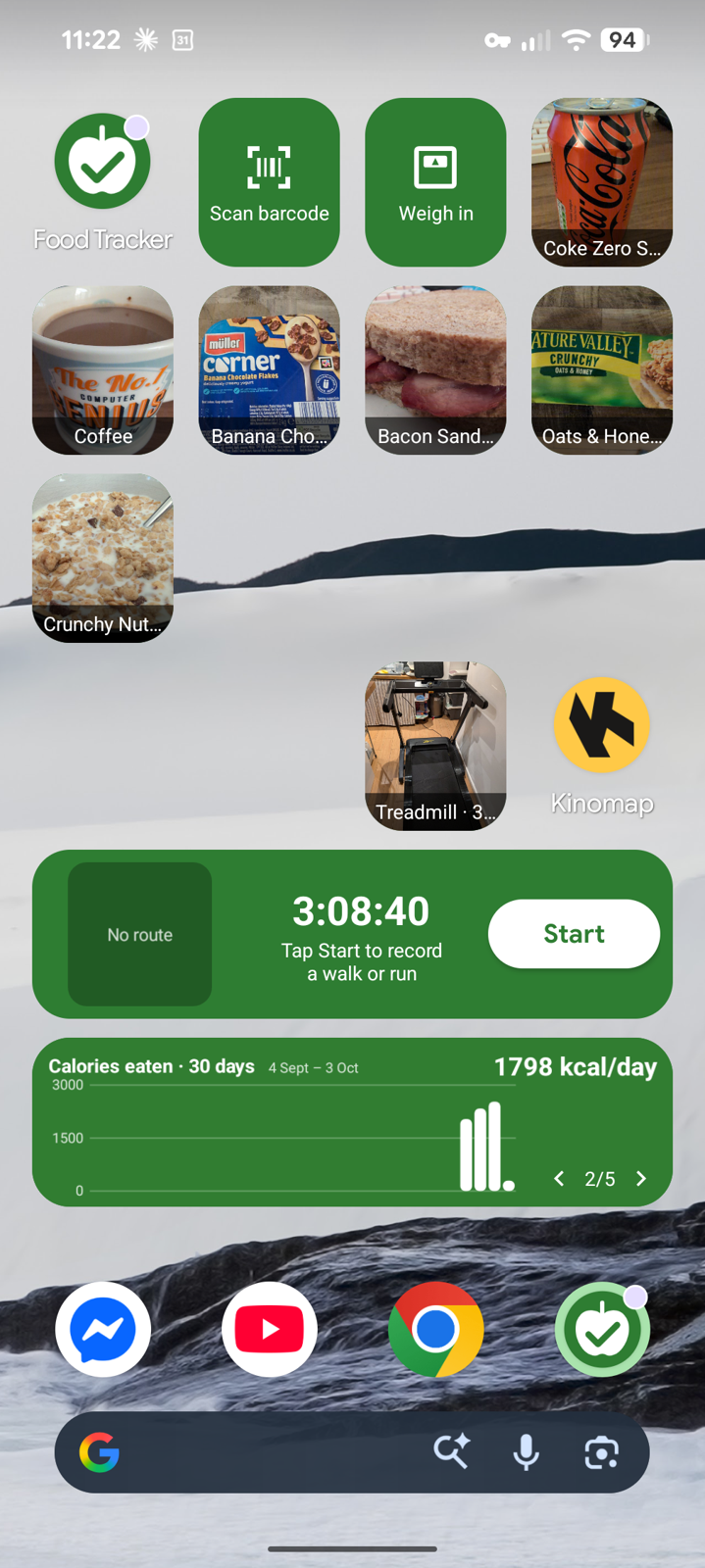
- Home-screen widgets: 1x1 food and exercise tiles, quick weigh-in, barcode scan, a trends chart and a Walk / run widget with a live timer and route mini-map.
How it's built
Kotlin and Jetpack Compose, a Room database (schema v11 and counting, every change is a migration), CameraX + ML Kit for scanning, NDEF read/write for the tags, and a handful of foreground services for tracking and the treadmill link. Widgets are classic RemoteViews, so they can't host a map; the run widget draws a route trace bitmap instead. Photos are stored downscaled to 1024 px JPEGs. Backup and restore is a ZIP of everything (database rows, photos, settings) through the system file picker.
app/src/main/java/com/mark/foodtracker/
  data/        Room entities, DAOs, AppDatabase, FoodRepository, BackupManager, PhotoStore
  nfc/         NDEF payload read/write
  scan/        CameraX + ML Kit barcode scanner
  reminders/   daily meal / weigh-in notifications via WorkManager
  treadmill/   TreadmillService (BLE), TreadmillSession, FTMS/RSC parsing, TreadmillRoutines
  tracking/    TrackingService, Calories, WorkoutSaver, StepCounter
  ui/          Compose screens, dialogs, charts, AppViewModel, navigation
  widget/      AppWidgetProviders, config activities, widget charts